Income
Split income in a group
A bottle deposit, a security deposit or a refund: income ends up in the same balance as your expenses.
- Record income like expenses
- Shared fairly with everyone
- In the same balance
Runs in your browser and installs like an app.
Rather use your phone? Scan the code with your camera.
How Split helps
Income instead of offsetting
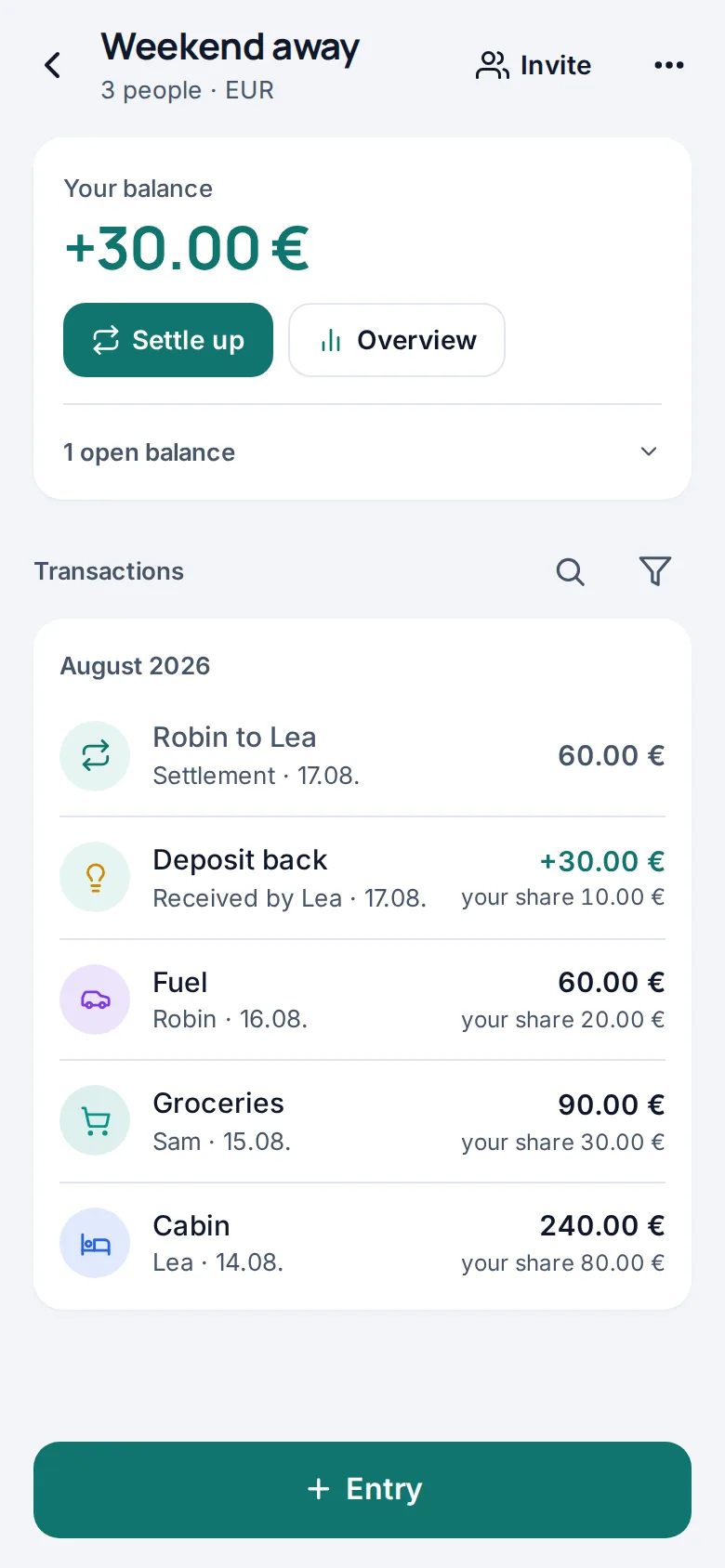
If someone receives money for the group – a deposit, a refund or money back – they add it as income. Split takes the amount off everyone's share, so you don't have to offset it yourselves.
Shared fairly with everyone
Income is split just like an expense: among everyone involved. Whoever received the money owes the others their share.
One balance for everything
Expenses, income and payments end up in one balance. At the end, Split suggests a settlement that takes everything into account.
Tips
Only add the holiday rental's security deposit as income once it's actually back.
Empties after the party: whoever gets the bottle deposit records it as income.
Refunds for tickets or bookings belong in the same group as the original expense.
How it works in Split
Step-by-step guides from the help.
Frequently asked questions
Your question isn't here? Write to us
What counts as income in Split?
Money that one person receives for the whole group, such as a deposit or a refund. Split shares it like an expense, just the other way round.
How do I record a returned security deposit?
As income of the person whose account the deposit came back to. Split credits it to the shares of everyone who paid the deposit.
Does recording income cost anything?
No. Income is part of the free version, without limits.
Ready for your first group?
Split runs right in your browser and can be installed as an app – no ads, no sign-up.
- Start without signing up
- No ads
- Works offline